OpenOffice.org video based manual
Plan-B for OpenOffice.org, learning office productivity software with videos


Tech Support for OpenOffice.org
Applications
Go to Open Office Writer Index
Go to Open Office Impress Index
Go to Open Office Math Index
Go to Open Office Draw Index
Go to Open Office Calc Index
Go to Open Office Base Index
Go to Open Office Online Help Index

Help Sections:
General
Writer
Impress
Math
Draw
Calc
Base
Basic

Text Functions

This section contains descriptions of the Text functions.

To access this function...

ARABIC

Calculates the value of a Roman number. The value range must be between 0 and 3999.

Syntax

ARABIC (Text)

Text is the text that represents a Roman number.

Example

Arabic("MXIV") returns 1014

Arabic("MMII") returns 2002

BASE

Converts a positive integer to a specified base into a text from the numbering system. The digits 0-9 and the letters A-Z are used.

Syntax

BASE(Number; Radix; [Minimum length])

number is the positive integer to be converted.

radix indicates the base of the number system. It may be any positive integer between 2 and 36.

Minimum length (optional) determines the minimum length of the character sequence that has been created. If the text is shorter than the indicated minimum length, zeros are added to the left of the string.

Example

BASE(17;10;4) returns 0017 in the decimal system.

BASE(17;2) returns 10001 in the binary system.

BASE(255;16;4) returns 00FF in the hexadecimal system.

CHAR

Converts a number into a character according to the current code table. The number can be a two-digit or three-digit integer number.

Syntax

CHAR(number)

number is a number between 1 and 255 representing the code value for the character.

Example

CHAR(100) returns the character "d".

CLEAN

All non-printing characters are removed from the string.

Syntax

CLEAN(text)

text refers to the text from which to remove all non-printable characters.

CODE

Returns a numeric code for the first character in a text string.

Syntax

CODE(Text)

Text is the text for which the code of the first character is to be found.

Example

CODE("Hieronymus") returns 72, CODE("hieroglyphic") returns 104.

The code used here does not refer to ASCII, but to the code table currently loaded.

CONCATENATE

Combines several text strings into one string.

Syntax

CONCATENATE(Text 1;...;Text 30)

Text 1; text 2; ... represent up to 30 text passages which are to be combined into one string.

Example

CONCATENATE("Good ";"Morning ";"Mrs. ";"Doe") returns Good Morning Mrs. Doe.

DECIMAL

Converts text with characters from a number system to a positive integer in the base radix given. The radix must be in the range 2 to 36. Spaces and tabs are ignored. The text field is not case-sensitive.

If the radix is 16, a leading x or X or 0x or 0X, and an appended h or H, is disregarded. If the radix is 2, an appended b or B is disregarded. Other characters that do not belong to the number system generate an error.

Syntax

DECIMAL(Text; Radix)

text is the text to be converted. To differentiate between a hexadecimal number, such as A1 and the reference to cell A1, you must place the number in quotation marks, for example, "A1" or "FACE".

radix indicates the base of the number system. It may be any positive integer between 2 and 36.

Example

DECIMAL("17";10) returns 17.

DECIMAL("FACE";16) returns 64206.

DECIMAL("0101";2) returns 5.

DOLLAR

Converts a number to an amount in the currency format, rounded to a specified decimal place. In the value field enter the number to be converted to currency. Optionally, you may enter the number of decimal places in the decimals field. If no value is specified, all numbers in currency format will be displayed with two decimal places.

You set the currency format in your system settings.

Syntax

DOLLAR(value; decimals)

value is a number, a reference to a cell containing a number, or a formula which returns a number.

decimals is the optional number of decimal places.

Example

DOLLAR(255) returns $255.00.

DOLLAR(367.456;2) returns $367.46. Use the decimal separator that corresponds to the current locale setting.

EXACT

Compares two text strings and returns TRUE if they are identical. This function is case-sensitive.

Syntax

EXACT(text_1;text_2)

text_1 refers to the first text to compare.

text_2 is the second text to compare.

Example

EXACT("Sun microsystems";"Sun Microsystems") returns FALSE.

FIND

Looks for a string of text within another string. You can also define where to begin the search. The search term can be a number or any string of characters. The search is case-sensitive.

Syntax

FIND(find_text; text; position)

find_text refers to the text to be found.

text is the text where the search takes place.

position (optional) is the position in the text from which the search starts.

Example

FIND(76;998877665544) returns 6.

FIXED

Specifies that a number be displayed with a fixed number of decimal places and with or without a thousands separator. This function can be used to apply a uniform format to a column of numbers.

Syntax

FIXED(Number; decimals; no thousands separators)

Number refers to the number to be formatted.

Decimals refers to the number of decimal places to be displayed.

No thousands separators (optional) determines whether the thousands separator is used. If the parameter is a number not equal to 0, the thousands separator is suppressed. If the parameter is equal to 0 or if it is missing altogether, the thousands separators of your current locale setting are displayed.

Example

FIXED(1234567.89;3) returns 1,234,567.890. FIXED(1234567.89;3;1) returns 1234567.890.

LEFT

Returns the first character or characters in a text string.

Syntax

LEFT(text; number)

text is the text where the initial partial words are to be determined.

Number (optional) specifies the number of characters for the start text. If this parameter is not defined, one character is returned.

Example

LEFT("output";3) returns out.

LEN

Returns the length of a string including spaces.

Syntax

LEN(text)

text is the text whose length is to be determined.

Example

LEN("Good Afternoon") returns 14.

LEN(12345.67) returns 8.

LOWER

Converts all uppercase letters in a text string to lowercase.

Syntax

LOWER(text)

text refers to the text to be converted.

Example

LOWER("Sun") returns sun.

MID

Returns a text segment of a character string. The parameters specify the starting position and the number of characters.

Syntax

MID(text; start; number)

text is the text containing the characters to extract.

start is the position of the first character in the text to extract.

number specifies the number of characters in the part of the text.

Example

MID("Sun Microsystems";5;5) returns Micro.

PROPER

Capitalizes the first letter in all words of a text string.

Syntax

PROPER(text)

text refers to the text to be converted.

Example

PROPER("sun microsystems") returns Sun Microsystems.

REPLACE

Replaces part of a text string with a different text string. This function can be used to replace both characters and numbers (which are automatically converted to text). The result of the function is always displayed as text. If you intend to perform further calculations with a number which has been replaced by text, you will need to convert it back to a number using the VALUE function.

Any text containing numbers must be enclosed in quotation marks if you do not want it to be interpreted as a number and automatically converted to text.

Syntax

REPLACE(text; position; length; new text)

Text refers to text of which a part will be replaced.

position refers to the position within the text where the replacement will begin.

length is the number of characters in text to be replaced.

new text refers to the text which replaces text.

Example

REPLACE("1234567";1;1;"444") returns "444234567". One character at position 1 is replaced by the complete new text.

REPT

Repeats a character string by the given number of copies.

Syntax

REPT(text; number)

text is the text to be repeated.

number is the number of repetitions.

The result can be a maximum of 255 characters.

Example

REPT("Good morning"; 2) returns Good morningGood morning.

RIGHT

Defines the last character or characters in a text string.

Syntax

RIGHT(text; number)

text is the text of which the right part is to be determined.

number (optional) is the number of characters from the right part of the text.

Example

RIGHT("Sun";2) returns un.

ROMAN

Converts a number into a Roman numeral. The value range must be between 0 and 3999, the modes can be integers from 0 to 4.

Syntax

ROMAN(Number; Mode)

Number is the number that is to be converted into a Roman numeral.

Mode (optional) indicates the degree of simplification. The higher the value, the greater is the simplification of the Roman number.

Example

ROMAN(999) returns CMXCIX

ROMAN(999;0) returns CMXCIX

ROMAN (999;1) returns LMVLIV

ROMAN(999;2) returns XMIX

ROMAN(999;3) returns VMIV

ROMAN(999;4) returns IM

SEARCH

Returns the position of a text segment within a character string. You can set the start of the search as an option. The search text can be a number or any sequence of characters. The search is not case-sensitive.

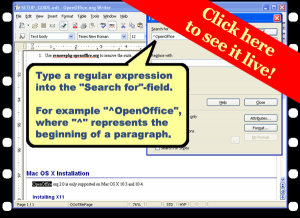
The search supports regular expressions. You can enter "all.*", for example to find the first location of "all" followed by any characters. If you want to search for a text that is also a regular expression, you must precede every character with a \ character. You can switch the automatic evaluation of regular expression on and off in Tools - Options - OpenOffice.org Calc - Calculate.

Syntax

SEARCH(find_text; text; position)

find_text is the text to be searched for.

text is the text where the search will take place.

position (optional) is the position in the text where the search is to start.

Example

SEARCH(54;998877665544) returns 10.

SUBSTITUTE

Substitutes new text for old text in a string.

Syntax

SUBSTITUTE(text; search_text; new text; occurrence)

text is the text in which text segments are to be exchanged.

search_text is the text segment that is to be replaced (a number of times).

new text is the text that is to replace the text segment.

occurrence (optional) indicates how many occurrences of the search text are to be replaced. If this parameter is missing the search text is replaced throughout.

Example

SUBSTITUTE("123123123"; "3"; "abc") returns 12abc12abc12abc.

SUBSTITUTE("123123123"; "3"; "abc"; 2) returns 12312abc123.

T

This function converts a number to a blank text string.

Syntax

T(value)

value is the value to be converted. Also, a reference can be used as a parameter. If the referenced cell includes a number or a formula containing a numerical result, the result will be an empty string.

Example

T(12345) becomes an empty string "", if 12345 is formatted as a number. T("12345") returns 12345.

TEXT

Converts a number into text according to a given format.

Syntax

TEXT(Number; Format)

Number is the numerical value to be converted.

Format is the text which defines the format. Use decimal and thousands separators according to the language set in the cell format.

TRIM

Removes spaces from a string, leaving only a single space character between words.

Syntax

TRIM(Text)

Text refers to text in which spaces are removed.

Example

TRIM(" hello") returns "hello".

UPPER

Converts the string specified in the text field to uppercase.

Syntax

UPPER(text)

text refers to the lower case letters you want to convert to upper case.

Example

UPPER("Good Morning") returns GOOD MORNING.

VALUE

Converts a text string into a number.

Syntax

VALUE(text)

text is the text to be converted to a number.

Example

VALUE("4321") returns 4321.

Index

text in cells, functions

functions, text

Function Wizard,text

ARABIC function

Arabic,converting roman numbers to

converting,roman numbers, into arabic

BASE function

converting,integers, to other numbering systems

decimal system, converting to

binary system, converting to

hexadecimal system, converting to

CHAR function

converting,codes, into characters

CLEAN function

deleting,non-printing characters

CODE function

CONCATENATE function

combining,text strings

DECIMAL function

DOLLAR function

converting,numbers, into currency format

EXACT function

comparing text strings

FIND function

FIXED function

number formats,applying to number columns

LEFT function

LEN function

length of text strings

counting,characters in text strings

LOWER function

converting,uppercase, into lowercase

lowercase letters,converting uppercase letters

MID function

PROPER function

capitalizing first letters in words

words,capitalizing first letters

REPLACE function

REPT function

repeating,text strings

RIGHT function

ROMAN function

converting,arabic numbers, into roman

SEARCH function

SUBSTITUTE function

T function

converting,numbers, into blank text

numbers,converting into blank text

TEXT function

numbers,converting into text

TRIM function

deleting,spaces in front of text

aligning,text in cells

UPPER function

converting,lowercase, into uppercase

lowercase letters,converting to uppercase

VALUE function

numbers,converting text into

converting,text, into numbers

This help text is published from the OpenOffice-Help files under the Public Documentation License 1.0.

Get OpenOffice.org - Free!